
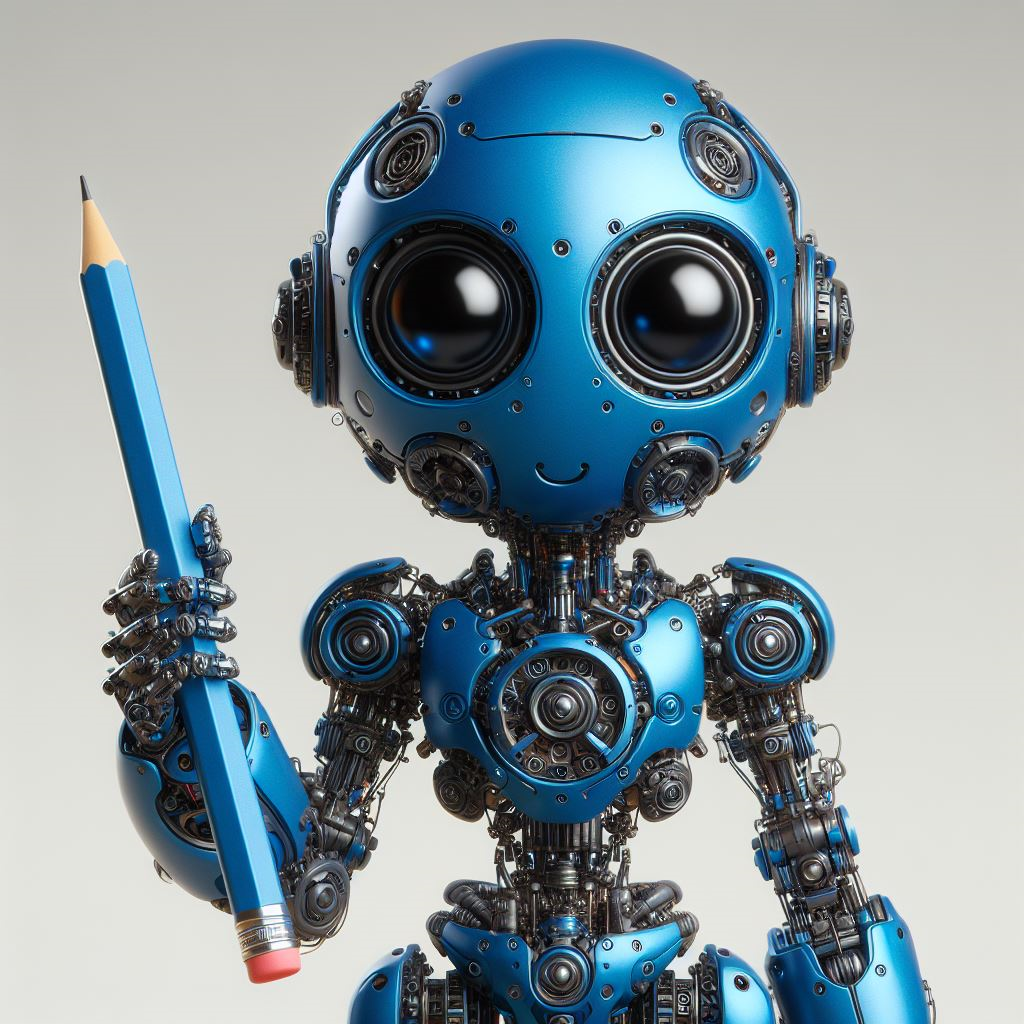
In the bustling hallways of innovation, where the chalk dust settles and the echoes of school bells fade, a revolution brews—not with placards and chants, but with algorithms and data.
In the spirit of one of my past blog posts, “The Seven ‘One’ders of OneNote,” let us embark on a journey to explore the transformative potential of Artificial Intelligence in the realm of education. Just as the ancient and new wonders of the world stand as testaments to human ingenuity, AI in education represents a new frontier of efficiency and support for teachers.

Imagine the grandeur of Chichen Itza, an ancient Mayan city, known for its intricate architectural designs and astronomical alignments. Now, envision AI tools as new structures within this city, ready to enhance the landscape of education. However, just as the Mayans carefully planned their city, teachers should be discerning when integrating AI tools into their classrooms.
What to Look for in AI Tools for Teachers
Here are some practical pointers for teachers:
- Purpose Alignment: Just as each structure in Chichen Itza had a specific purpose, ensure the AI tool aligns with your teaching goals. Does it support your curriculum? Does it cater to your students’ learning styles?
- Ease of Use: The Mayans designed their city to be navigable. Similarly, the AI tool should be user-friendly, both for you and your students. A steep learning curve might hinder the teaching process.
- Data Privacy: Chichen Itza was a fortified city, protecting its inhabitants. In the same vein, check the AI tool’s data privacy policies. Ensure it adheres to regulations and protects your students’ information.
- Cost and Value: The Mayans invested resources where they saw value. Evaluate the cost of the AI tool against the value it provides. There are many free resources available that might meet your needs.
- Support and Updates: Chichen Itza wasn’t built in a day, and it certainly wasn’t left to crumble. Look for AI tools that provide good support and regular updates to ensure longevity and reliability.
- Interoperability: Just as the structures of Chichen Itza worked together in harmony, your AI tool should be able to integrate well with other tools and systems you’re using.
Additionally, Eric Curts of Control Alt Achieve, a site brimming with various AI resources, has developed a rubric for evaluating AI tools. The rubric is designed to guide K-12 schools in the comprehensive evaluation of artificial intelligence (AI) tools for educational use. It encompasses a broad range of 18 criteria essential for assessing the suitability, effectiveness, and safety of AI technologies within the learning environment.
Remember, integrating AI tools into your teaching is like constructing a new building in Chichen Itza. It requires careful planning and consideration. But with the right tools, the result can be a harmonious blend of tradition and innovation, enhancing the educational landscape for you and your students.
Some General AI tools that can support every teacher are:
- Microsoft Copilot is a sophisticated AI developed by Microsoft, capable of producing text that resembles human writing. It’s designed to assist with educational tasks by automating lesson planning, assessments, and material creation. Similar to OpenAI’s ChatGPT or Google’s Gemini, Copilot uses AI to respond to prompts and automate content generation. It excels at crafting customized educational content, providing personalized feedback, and creating resources that cater to various student levels. It can also help draft communications for parent-teacher meetings and student progress. Beyond these, Copilot is useful for generating ideas for academic support materials, quizzes, rubrics, visuals, and more, making it a versatile tool for educators.
- Claude is an Artificial Intelligence, trained by Anthropic using Constitutional AI, to be safe, accurate, and secure. It is designed to be sensitive to human values and social norms. This makes it an ideal AI tool for teachers in schools.
- Perplexity is a robust gen AI-powered research tool that aggregates info and provides sources. Results are summaries of multiple web sources, and each piece of information is cited with a link to the original source. The tool boasts that it has no ads, differentiating it from other search options.
- You.com is a personalized AI assistant which works in different modes. Smart – accomplish tasks quickly, draft unique content, and access real-time web results; Research – conduct in-depth analysis, comparisons, and topic exploration with extensive citations (beta); Genius – solve multi-step problems with advanced capabilities, including file uploads; Create – magically transform your ideas into stunning visuals and one-of-a-kind graphics; Models – explore leading AI models, enhanced by You.com including all levels of GPT, all levels of Claude, Llama 3, all levels of Gemini, and more.
AI tools can be compared to the Lighthouse of Alexandria, guiding teachers through the sea of tasks and responsibilities. These tools can help teachers focus more on instruction and less on paperwork, illuminating the path towards effective teaching.

Alexandria’s Guiding Light to Organization
Here are some AI tools that can help teachers streamline and organize their workload:
AI Tools for Content Generation: Just as the lighthouse guided ships through the night, AI tools can guide teachers in content creation. Any of the general tools listed earlier can help teachers create content, but the following tools are specifically designed for education:
- Magic School has 60+ set of tools for assisting teachers with developing lesson plans, designing assignments, generating materials, creating newsletters, and more.
- EduAide.AI is a free, “all-in-one” generative AI tool for educators that can help them with creating assessment tools, unit plans, lesson plans, and much more.
- EduGPT is an AI-powered platform which provides specialized chatbots for educators.
- TWEE, a tool built mainly for English teachers yet adaptable for other subjects as well, can help with reading comprehension, writing prompts, vocabulary building, listening exercises, speaking practice, creating quiz or discussion questions, and grammar activities.
- Quizizz can instantly generate activities from YouTube videos, PDFs, and educational websites to create interactive quizzes with leaderboards, avatars, and real-time feedback and in various question formats.
- Canva is a free, user-friendly graphic design AI tool for educators wanting to create stunning visual aids, engaging lesson plans, interactive presentations, and more. It has one of the best resource libraries, with not just templates, infographics, and posters but also gifs, videos, animations, and music.
These tools can be the beacon that guides teachers through the vast sea of curriculum requirements and student needs.
AI Tools for Curriculum Design: The lighthouse was meticulously designed to serve its purpose. Similarly, AI tools can assist teachers in designing a well-structured curriculum. Platforms like TeachAid – which is Canadian! – creates equitable curricula that addresses diverse cultural needs, enhances teacher efficiency & effectiveness, and supports tiered and IEP instruction and allows teachers to organize skills into a hierarchical taxonomy and suggest how to sequence skills in order to build a scaffolded curriculum. Like the lighthouse’s beam cutting through the fog, these tools can help teachers navigate the complexities of curriculum design.
AI Tools for Organization: The lighthouse stood tall and organized, a necessary trait for any teacher. AI can automate routine tasks, allowing everyone to focus on more complex and creative work. It can manage communications with students and parents, scheduling reminders, and answering frequently asked questions. It can also help to capture your thoughts and ideas, do meal planning, and even plan an outing.
A few tools to help you with all that organizing:
- Goblin Tools is one AI tool that can help you stay organized. It is divided into distinct job categories: Magic ToDo, Formalizer, Judge, Professor, Estimator, Compiler, and Chef. It can help you create prioritized lists, “turn the spicy thoughts into classy ones, or vice versa,” let you know if you are misreading the tone of a text, give you a crash course, estimate how long a task will take, compile your brain dump into a task list, and even help you plan your next meal just be entering the ingredients you have on hand. Just as the lighthouse was a central point for ships, these tools can be the central hub organization.
- Otter.AI is a specialized artificial intelligence platform designed to transcribe spoken words into written text with remarkable accuracy. This tool is engineered to create transcriptions in real-time, allowing for immediate access to written records of verbal communications. Imagine, never take meeting notes or document student conferences and get transcripts, automated summaries, action items, and chat with Otter to get answers related to the material it transcibes.
- Reclaim AI, free on Google Calendar and coming soon to Outlook, Reclaim.ai empowers you to streamline your workflow and achieve peak productivity through intelligent scheduling and time management tools. It is the perfect solution if you’re looking to break free from a chaotic schedule and regain control over your time.
AI tools can be the Lighthouse of Alexandria for teachers, guiding them through content creation, curriculum design, and organization. By leveraging these tools, teachers can navigate the vast ocean of educational responsibilities with confidence and ease. Just as the lighthouse was a symbol of guidance and organization, these AI tools can be a beacon of efficiency and effectiveness in the world of teaching.

Imagine, if you will, the Hanging Gardens of Babylon. A marvel of the ancient world, a lush oasis in the midst of a desert, a testament to human ingenuity and perseverance.
A Garden for Everyone
Now, consider the Hanging Gardens of Babylon were not just a display of opulence; they were a public space, open to all. Similarly, AI enhances accessibility in education. It breaks down barriers, making learning resources accessible to all, regardless of their physical, economic, or social conditions. From text-to-speech features that aid visually impaired learners to translation tools that break down language barriers, AI ensures that education is not a privilege but a right accessible to all.
Now, let’s delve into some practical tips for teachers:
Embrace AI Tools: There are numerous AI tools available that can enhance accessibility in the classroom. From speech recognition software to AI-powered educational apps, these tools can be a boon for students with special needs. Microsoft Teams supports speech-to-text transcription and captioning for meetings and calls making it easier for people who are Deaf or Hard of Hearing to participate in online communication. Outlook, Microsoft Edge, and PowerPoint include a read-aloud feature, that uses text-to-speech technology to read web pages, documents, and emails aloud.
Personalize Learning: AI can help tailor the learning experience to the needs of each student. Use AI tools to track student progress and adapt teaching methods accordingly. The educator AI tools and generative AI platforms listed earlier can help to differentiate learning materials. All it takes is crafting a great prompt. For example:
“Generate a three-tier differentiated task for Grade 9 Geography students, based on the Ontario Curriculum. This task will be designed around the knowledge strand of landforms and landscapes, focusing on investigating geomorphological processes and human impact on landscapes and landforms. List task, objectives, and assessment in your response. Do not include any essay-format assessment tasks.”
You can find more prompts at the Prompt Library.
Diffit is another great tool that can help create “just right” instructional materials, saving tons of time and helping all students to access grade level content, see more in this Ed Tech Throwdown Video.
And ensure you are creating accessible content in your online learning environments. A common element often missing is alt text for images. Make your life easier by using ahrefs to effortlessly generate descriptive alt text for your images, thereby instantly improving accessibility without a hassle.
In conclusion, just as the Hanging Gardens of Babylon brought a sense of wonder and accessibility to the ancient world, AI has the potential to do the same for education. By harnessing the power of AI, we can create a learning environment that is as diverse, inclusive, and accessible as those legendary gardens.
Imagine the Great Pyramid of Giza, a marvel of ancient architecture, standing tall and proud in the desert. This pyramid, much like the field of education, is built on layers of knowledge and wisdom. Now, imagine AI as a new layer, ready to be integrated into this pyramid. It promises to elevate the structure, but its integration is not without challenges. One such challenge is data security and privacy.

Data Security and Privacy
Just as the pyramid was built to protect the pharaoh’s treasures, AI tools in education must be designed to protect the valuable data of students and teachers. However, unlike the pyramid’s solid stone blocks, the digital walls of AI can be vulnerable to breaches if not properly fortified.
Here are some practical pointers for teachers:
- Understand the Privacy Policy: Just as the pyramid’s architects needed to understand the terrain, teachers should familiarize themselves with the privacy policies of AI tools. Know what data is collected, how it’s used, and who has access to it.
- ChatGPT requires parental permission for 13-18 year old users, Microsoft Copilot does not. Google Workspace for Education account holders under 18 years old are not able to use Gemini, students have to use a personal Gmail account to access Gemini.
- ChatGPT can give away any data collected to “affiliates,” including, if requested, to federal authorities.
- Microsoft Copilot and Google’s Gemini have more data privacy protections for users (thank you GDPR!).
- Gemini tracks user location, OpenAI collects IP address, Microsoft CoPilot doesn’t seem to collect any location data.
- Use Strong Passwords: The pyramid had its secret chambers and hidden doors, secured from unwanted access. Similarly, use strong, unique passwords for your accounts and change them regularly.
- Limit Personal Information: The less personal information shared, the less there is to be compromised. Like the sparse inscriptions in the pyramid, keep the data you input into AI tools to a minimum.
- Don’t let students put in any sensitive or identifying information into any of these tools!
- Don’t put any sensitive information in these tools (e.g., asking ChatGPT to write an email to a student about their grade – this is a FERPA violation).
- Educate Students: Just as the knowledge of pyramid construction was passed down through generations, educate your students about online safety, and the importance of protecting their personal information.
- Keep Software Updated: The pyramid’s maintenance was crucial to its longevity. Similarly, ensure your AI tools and related software are up-to-date, as updates often include important security patches.
Remember, while AI holds great potential for enhancing education, it’s essential to navigate its integration with care and caution, especially when it comes to data security and privacy. Like the careful planning that went into the construction of the pyramid, thoughtful consideration of these issues can help ensure a safe and secure environment.
In the grand tapestry of human achievement, the Seven Wonders of the Ancient World stand as testaments to our capacity for innovation and ingenuity. As we navigate the digital landscape of education, these wonders serve as apt metaphors for the transformative power of AI.
The Library of Alexandria, once the beacon of knowledge and organization, finds its parallel in AI’s ability to streamline and organize educational resources. Like the scholars who once roamed the library’s halls, teachers can now navigate through the vast corridors of information, guided by AI’s illuminating light.
The Hanging Gardens of Babylon, a symbol of accessibility and inclusivity, mirror AI’s potential to create an inclusive learning environment. Just as the gardens were a sanctuary for all, AI ensures that every learner, regardless of their abilities or circumstances, can access the fruits of education.
The Great Pyramid of Giza, an enduring symbol of security, echoes AI’s commitment to data privacy. Just as the pyramid has stood the test of time, AI tools are designed with robust security measures to protect the invaluable treasure of student data.
In conclusion, AI in education, much like the Wonders of the World, is a testament to human ingenuity. It is a tool that promotes efficiency, supports teachers, and most importantly, enhances the learning experience for students. As we continue to explore this digital landscape, let us remember the lessons of the past and use them to shape a future where education is accessible, inclusive, and secure for all.

